








Can I get a Wonaco app from Google Play or the App Store?
We do not publish a store app. Our mobile site is the Wonaco Casino app itself, and you can pin it from Safari or Chrome in a few taps, with no download needed.
Many Aussie players would rather play from a phone than a computer, and our Wonaco Casino app was made for exactly that. It lives in your mobile browser, so there is no download, no store account and no storage taken by a separate program. Top up through the cashier, spin a few pokies and request a withdrawal on whatever devices you carry.
Here is how the mobile version works, how to pin it to your phone, how banking runs on the go and how to keep the casino fast and safe in your browser.
Play Wonaco on Mobile
Think of our app as the full website shaped for a smaller display. When you open it in Safari, Chrome or another current mobile browser, the page adjusts to your device while keeping every feature of the desktop version: the lobby tabs, live tables, promotions, the cashier and live chat.
Nothing needs installing, and that has practical upsides. You never wait for a store approval or a large download, and you never run an outdated build. Every time the browser loads our site, you get the latest version we have published, with all updates already applied.
Your account is the same on phone, tablet and desktop. Sign in on any of your devices and you see one balance, one bonus status and one transaction history. Move from the laptop to the couch mid-session, and the game picks up where you left it.
The mobile casino and the desktop site share one set of rules: the same bonus terms, the same deposit and withdrawal options and the same support team. Only the layout changes to suit a smaller screen.
Because sign-in happens in the browser, the usual mobile security habits apply: a lock on the phone, a unique password and signing out on shared devices. These simple steps keep your casino account in your hands only.
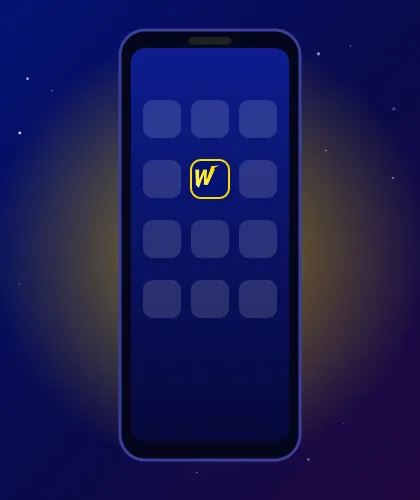
An icon on the home screen turns the mobile site into a one-tap launch, much like an installed app. The browser handles everything, so the process takes seconds and works on Android and iOS devices alike. Once added, the Wonaco Casino app opens straight from that icon.
Other Android browsers offer a similar option in their menus, usually under a name like "Add page to".
The shortcut appears on the next free spot, on a phone or tablet alike. Move it into a folder or onto the dock like any other icon on your mobile devices. If you ever remove it, nothing is lost: your account and balance stay on our side, and you can add it again in seconds from any iOS or Android browser. Removing the icon has no effect on security either.
You reach the mobile cashier from the main menu at any point in a session. It shows the payment methods available for your country and the currency of your balance, so you only see options that actually work for you.
To deposit from your phone:
The funds show in your balance once the payment is processed, and the same deposit is visible if you later open the Wonaco Casino app on another phone or on a computer.
Cashing out follows a similar path. Select Withdrawal, pick a method, enter the sum and submit. We check each request before sending money. Ahead of your first payout, our team may request verification of your identity and will explain what to provide. Once verification is complete, it applies to your account on every device.
A few mobile banking tips:
Most speed issues on mobile come down to three things: connection, cache and outdated software. Live tables stream video, so they need the steadiest internet of anything in our lobby. If pages feel slow, try a different network, for example moving from home Wi-Fi to 4G or 5G, and compare. A weak connection also explains most dropped live streams: when the picture freezes, check the connection icon at the top of your screen before anything else.
The browser cache stores parts of our site on your device so pages open faster next time. Now and then that stored copy gets out of date and causes odd layouts or a frozen game. Clearing the cache for our site in your browser settings, then reloading, solves this in most cases. You will need to sign in again afterwards, so have your details ready. If clearing the cache does not help, a weak internet connection is the next thing to check. After a major browser upgrade, clearing the cache once more often fixes pages that look odd.
Keep your phone and browser on current updates. On Android, update Chrome through Google Play; on iOS, Safari updates arrive with the system, so installing the latest iOS keeps both current. Older devices still run the Wonaco Casino app, though very old browser versions may load heavier games more slowly.
On security, a few rules go a long way:
If something still looks wrong, our live chat support agents are online 24/7. Describe the device and browser you are using, and they will look into the problem with you and suggest the next step.
We do not publish a store app. Our mobile site is the Wonaco Casino app itself, and you can pin it from Safari or Chrome in a few taps, with no download needed.
Yes. The mobile cashier offers the payment methods that the desktop site lists for your country. Deposits, withdrawals and verification requests all work from the phone, and verification is handled the same way whichever device you send documents from.
Almost none. The icon simply opens our website in the browser, so it does not install a program. Only the browser cache uses a little storage, and you can clear it at any time.
Our privacy policy sets out how we handle personal data, and it applies the same in a mobile browser as on desktop. On your side, keep the browser updated, use a screen lock and stay away from public Wi-Fi when making a payment. Good security on the device protects your account as much as anything we do.
Yes. Our live chat runs 24/7 and opens from the menu on any phone. Ask about a deposit, a withdrawal or your account, and a support agent will reply in the same window.